Smart Invoice AI Agent built with N8N
An AI-powered automation that reads your invoice emails, extracts key data from attached PDFs, uploads them to Google Drive, creates structured records in Airtable, and notifies your team on Slack — all built inside n8n.
Details
Automation Developer
AI Workflow Designer
AI Integration
Business Process Automation
Industry:
Finance & Accounting
Automation & AI Tools
Overview
🎥 Video Explaination (LOOM):
https://www.loom.com/share/b94367867f4948f69c208ac603e6d545
The Problem
Many businesses still receive invoices by email and manually log them into spreadsheets or CRMs.
This process is slow, repetitive, and error-prone — files get lost, totals are mistyped, and tracking VAT or payment status becomes messy.
I wanted to create a fully automated system that could read invoice emails, extract the right data, and organize everything in one place.
The Solution
This workflow automates the entire invoice management process from start to finish using n8n and OpenAI.
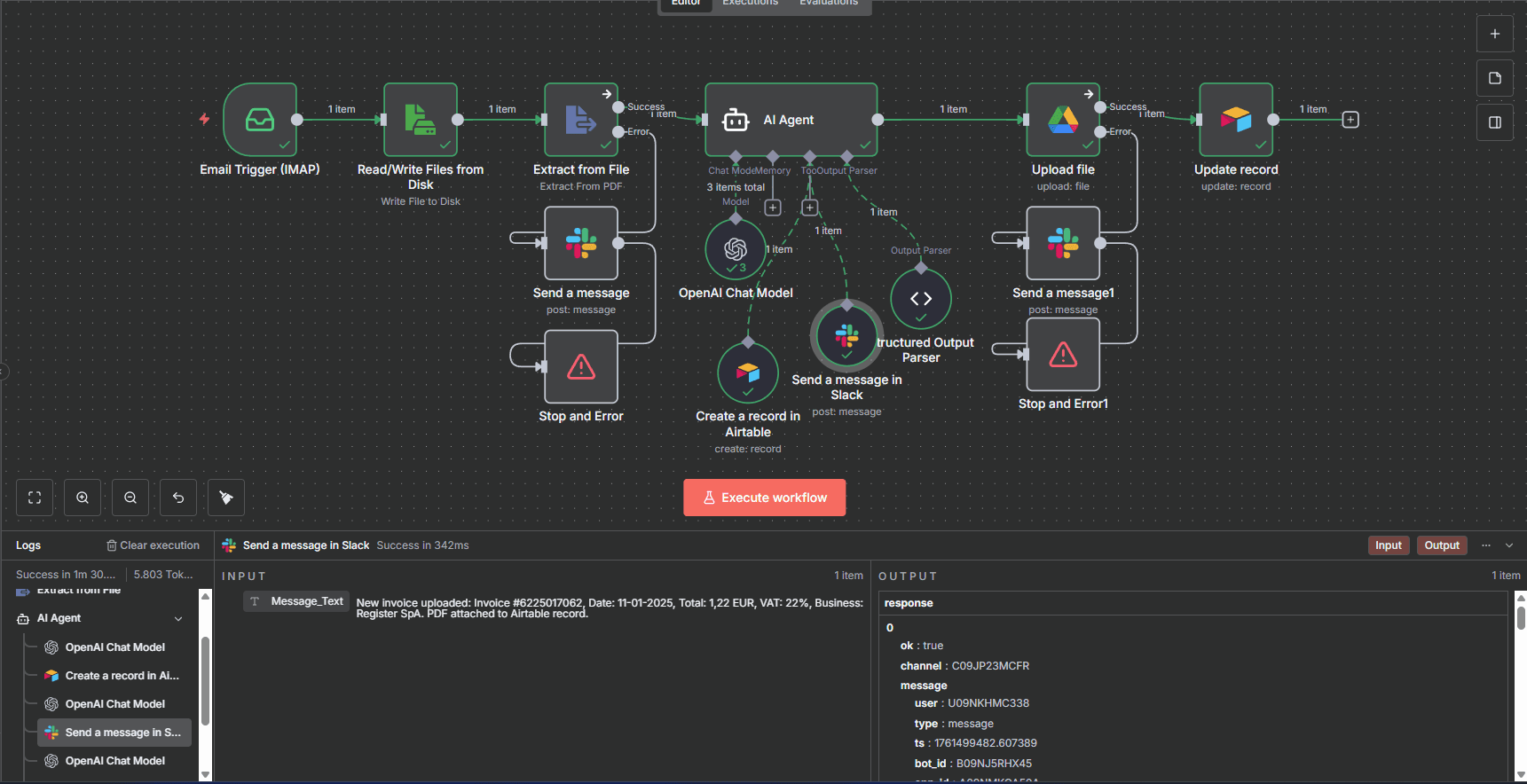
Email Trigger (IMAP)
The workflow listens for new emails from specific senders (e.g., billing services like Register or Notion).
When a new invoice email arrives, the trigger activates automatically.File Extraction
The attached PDF is downloaded and processed by the “Extract from File” node, which retrieves the raw text of the document.AI Agent (OpenAI Chat Model)
The extracted text is sent to an AI Agent powered by OpenAI.
The model identifies and structures the key information — invoice number, total amount, currency, VAT, date, and service name — returning clean JSON data via the Output Parser.Data Storage in Airtable
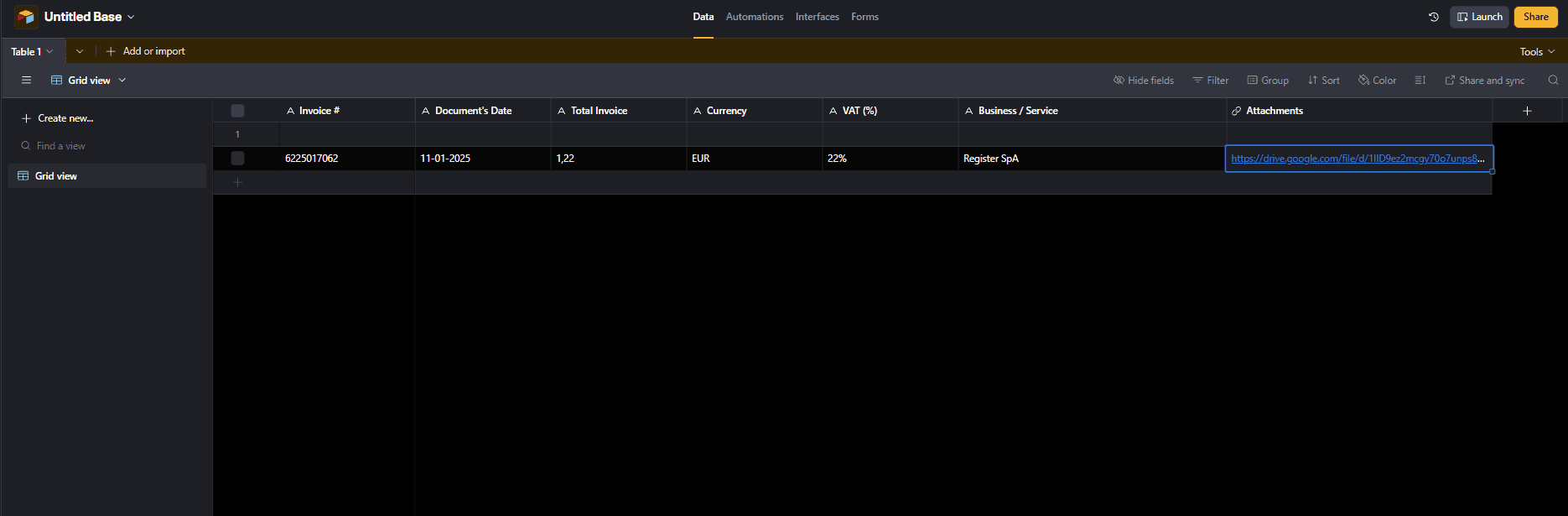
The parsed values are then used to automatically create a new record in Airtable, building a centralized and searchable invoice database.Cloud Upload
The original PDF is uploaded to Google Drive, and its public link is updated in the corresponding Airtable record.Slack Notification
Finally, a confirmation message is sent to Slack, notifying the team that a new invoice has been processed successfully.
Tools Used / Stack
n8n – Orchestration platform for the entire workflow
OpenAI (Chat Model) – AI-powered text understanding and JSON output
AI Output Parser – Guarantees structured and reliable data format
Airtable – Centralized CRM and invoice database
Google Drive – Cloud storage for all invoice PDFs
Slack – Real-time success notifications
IMAP Trigger – Email listener for automatic activation
Key Features
100% automated from email to database
Zero manual data entry
Instant Slack confirmation for every processed invoice
Centralized storage with linked files and searchable fields
Easy to expand for multiple vendors or invoice types
Saves several hours per month and minimizes human error
Outcome
This project showcases how no-code and AI can work together to eliminate repetitive back-office tasks.
With n8n and OpenAI, even complex document processing — like reading invoices — can become a seamless, self-running workflow.