YouTube Video Analyzer – From Telegram to PDF Dashboard Automation
This project was built to provide an automated YouTube video analysis system for content creators and marketing teams — with one goal in mind: "Paste a YouTube link in Telegram and receive a structured PDF dashboard with all the video stats, without using any third-party plugin."
Details
Automation Developer
Youtube Data Analysis
PDF Generation
Industry:
Content Creation
Digital Media
Overview
This project was built to provide an automated YouTube video analysis system for content creators and marketing teams — with one goal in mind:
"Paste a YouTube link in Telegram and receive a structured PDF dashboard with all the video stats, without using any third-party plugin."
Here’s how it works:
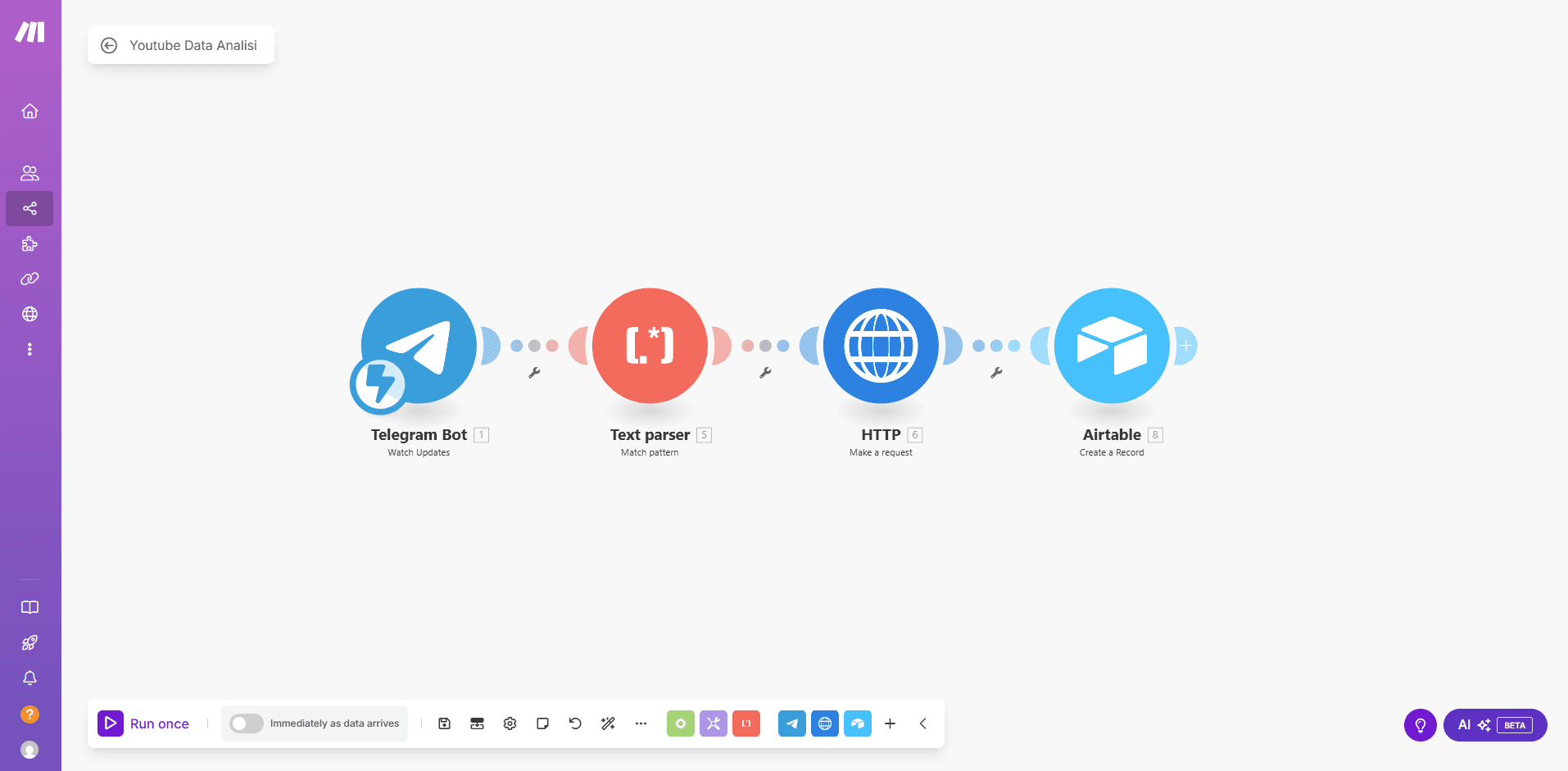
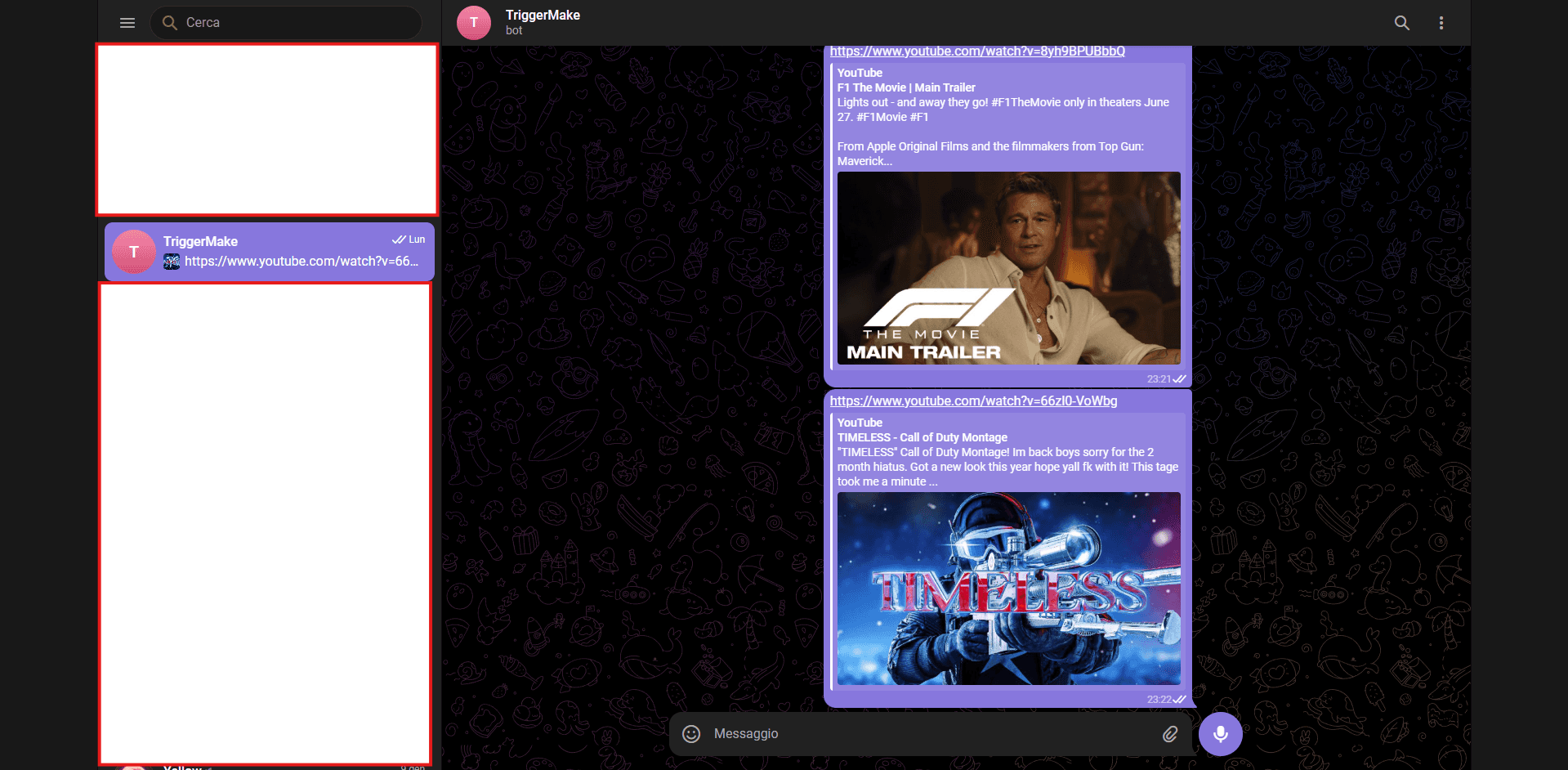
The user simply sends a video link in a Telegram chat connected to a Make scenario.
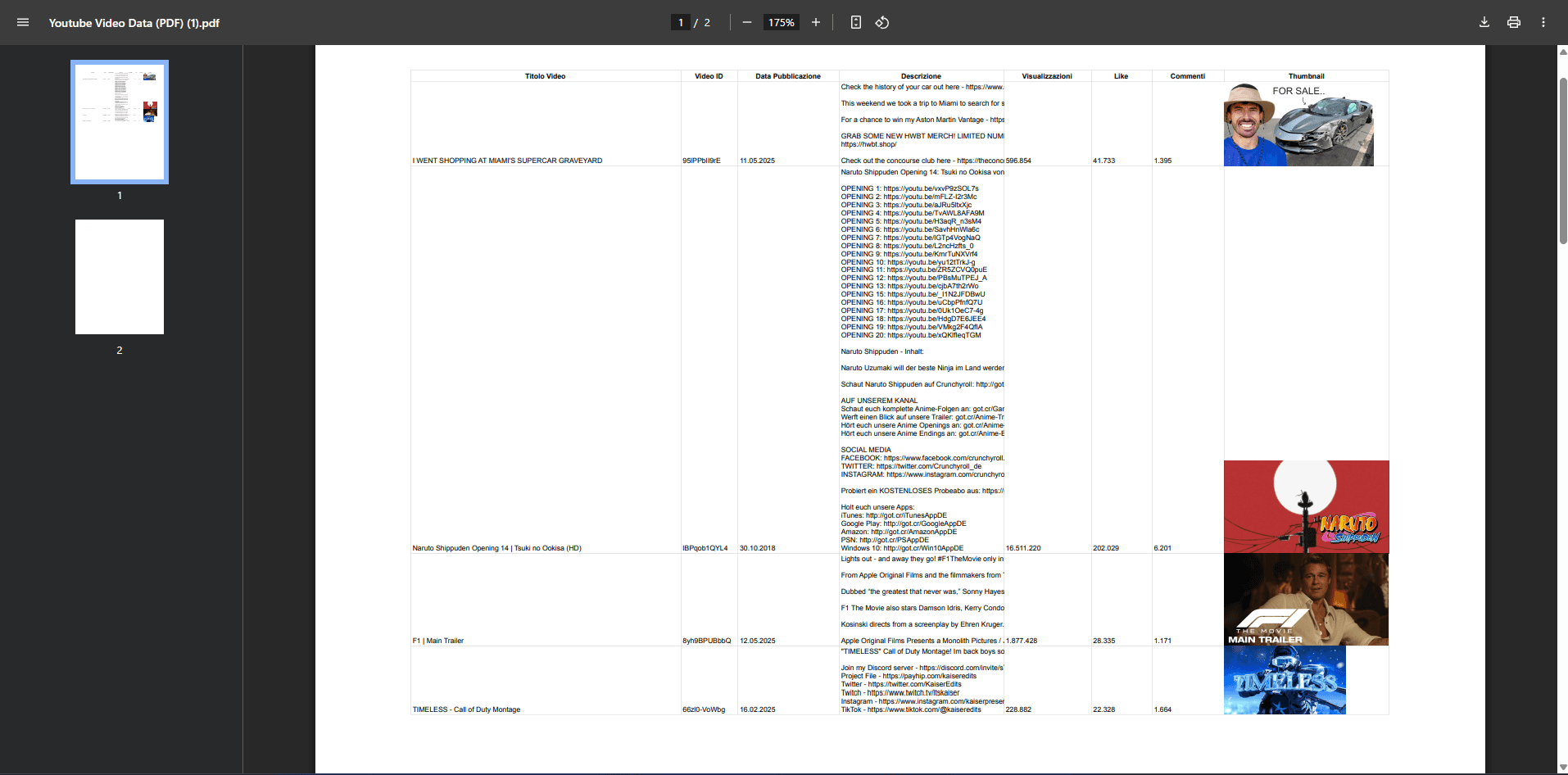
The automation extracts:
Video Title
Video ID
Published Date
Description
View Count
Likes
Number of Comments
Thumbnail URL
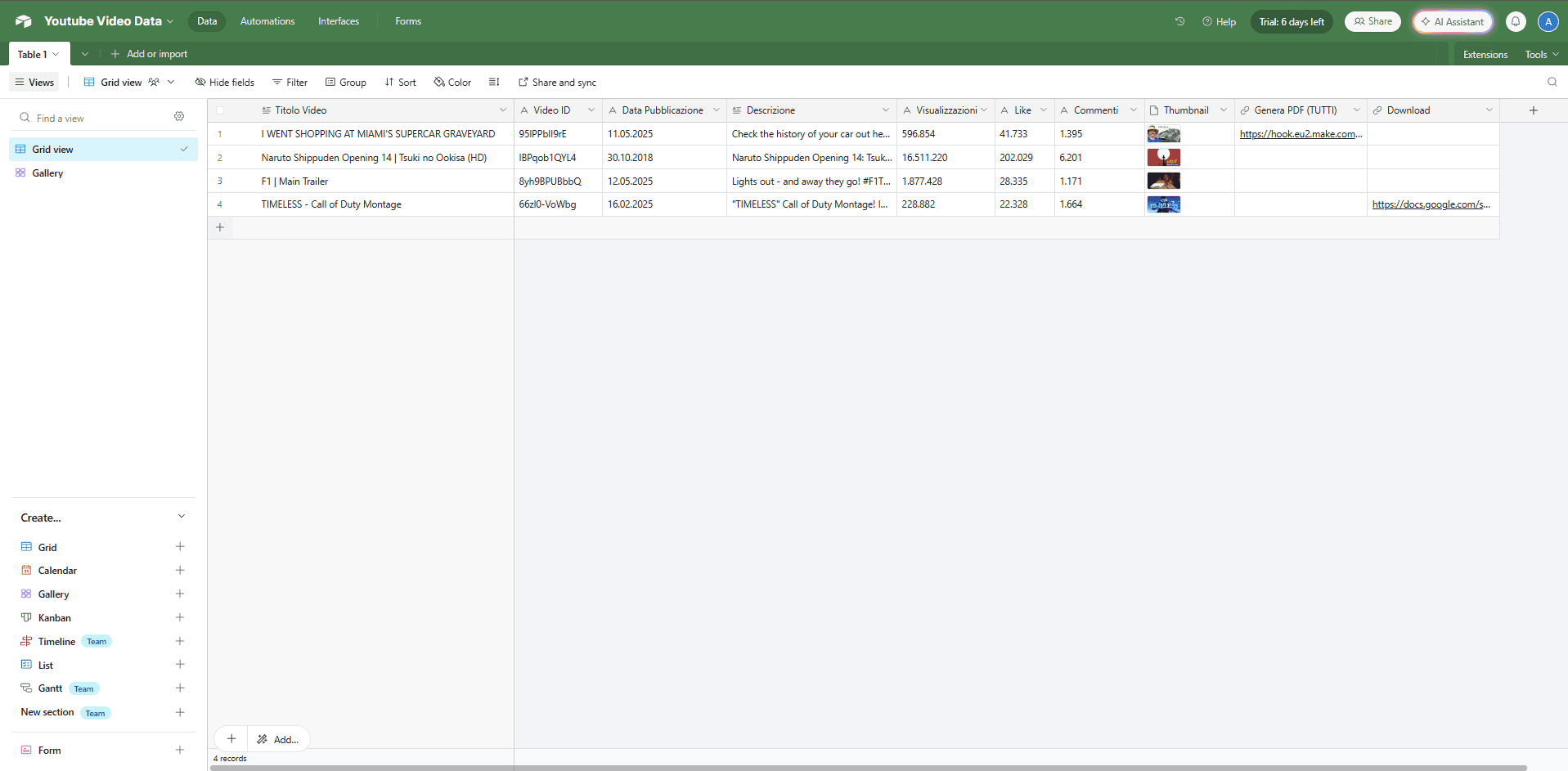
All data is written into a structured Airtable database, which acts as the dynamic content dashboard.
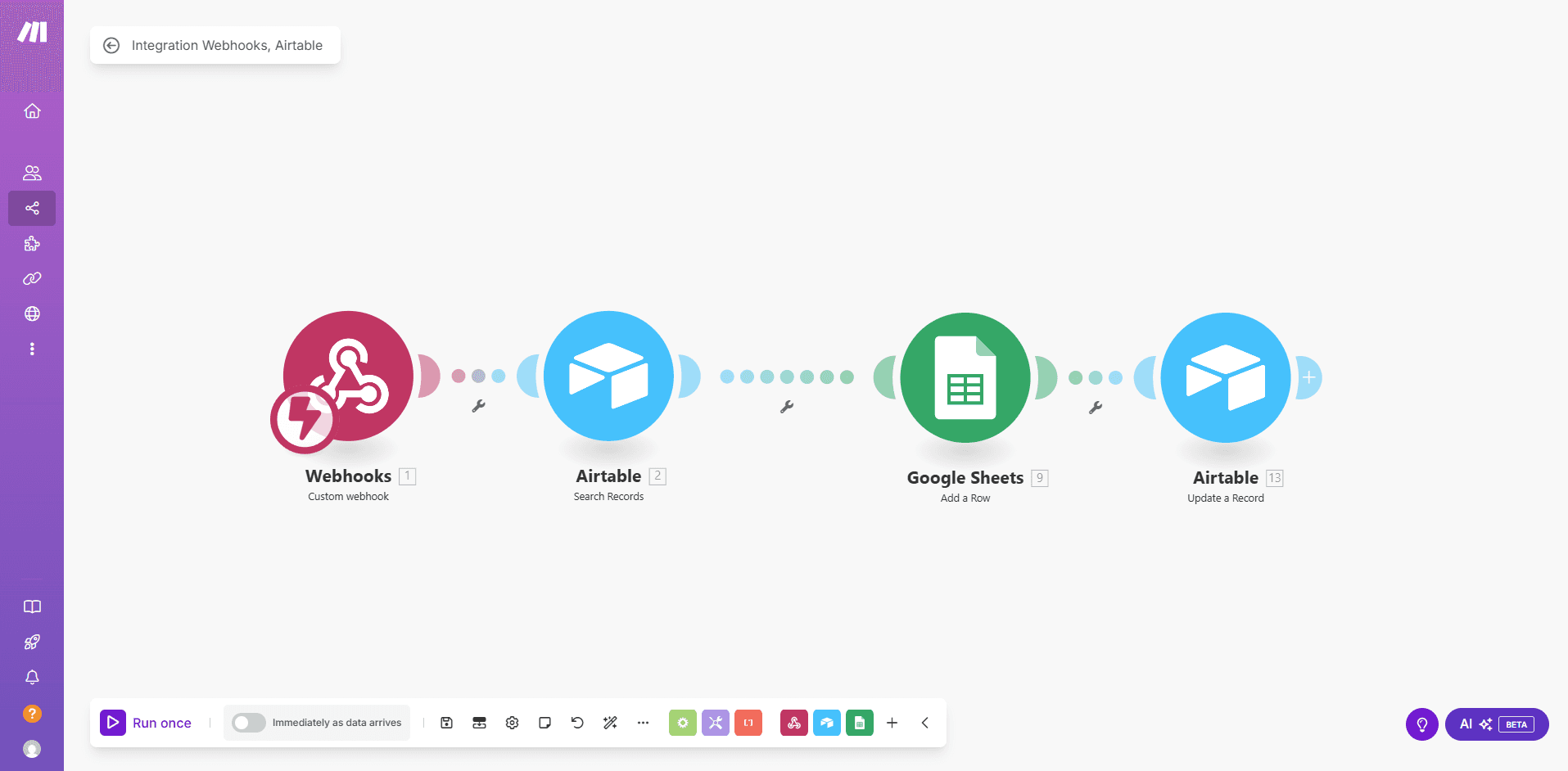
A "Generate PDF" button (custom webhook) copies the row to Google Sheets, where the PDF layout is handled.
Once ready, a final download link appears in Airtable, allowing the user to export the stats in clean PDF format, without using any paid plugins or third-party converters.
Tools Used / Stack
Telegram Bot – user input trigger
Make (Integromat) – core orchestration
YouTube Data API v3 – data extraction
Airtable – structured database
Google Sheets + Docs – dynamic PDF generation
Webhooks – modular PDF generation logic
Key Features
🧵 Telegram-powered automation (no UI needed)
📊 Structured Airtable dashboard with views/likes/comments
🖼️ Thumbnail image preview directly inside Airtable
📤 PDF generated on-demand via webhook (no plugin)
💸 Cost-effective: no premium tools required
Outcome
This automation shows how even complex business tools can be simplified and deployed via Make, combining real-time data extraction, custom dashboards, and document generation — all with clean no-code logic.